2. Active Directory Tasks - Powershell
2.2 Joining a Computer & Removing a Computer from a Domain
Join a Computer to a domain locally
you can join a computer to a domain with this command from the computer you target to join:
$dc = "TINKER" # Specify the domain to join.
$pwd = "P@ssw0rd" | ConvertTo-SecureString -asPlainText -Force # Specify the password for the domain admin.
$usr = "$dc\domain-admin" # Specify the domain admin account.
$creds = New-Object System.Management.Automation.PSCredential($usr,$pwd)
Add-Computer -DomainName $dc -Credential $creds -restart -force -verbose
Note that you should run this script as an administrator and make sure you can access the domain!
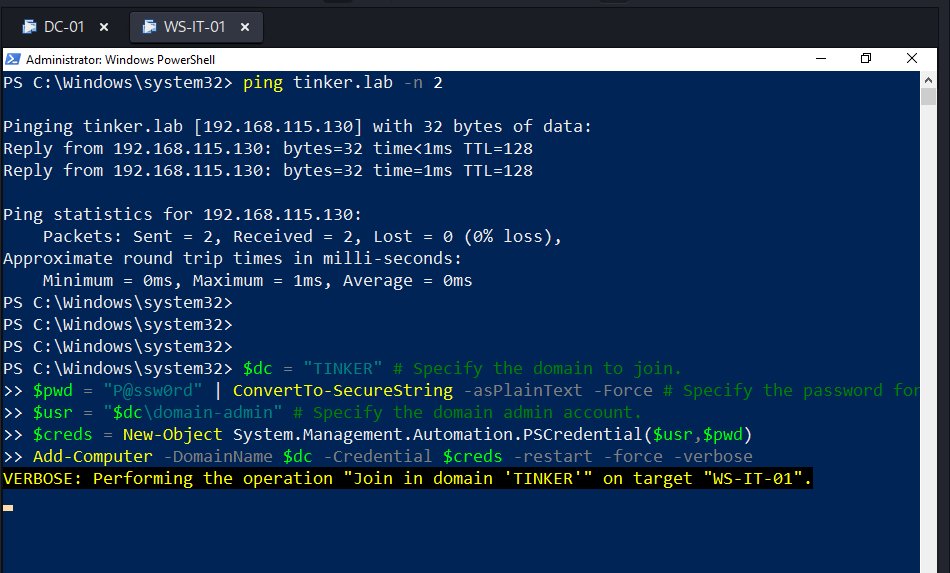
Note that the computer will be restarted automatically.
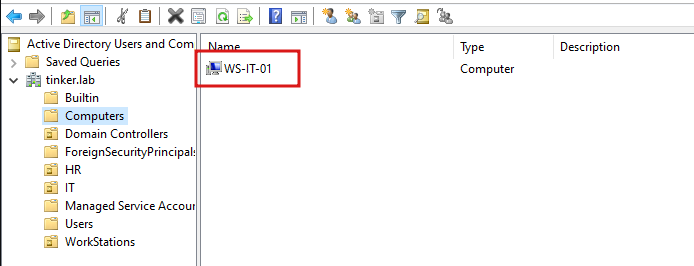
and the computer now is in the domain!
Join a Computer to a domain remotely
Note that in order to use this method, you must disable the firewall on the local computer.
you could add a computer to the domain remotely without interacting with the targeted computer! and here is how:
$dc = "TINKER" # Specify the domain to join.
$pwd = "P@ssw0rd" | ConvertTo-SecureString -asPlainText -Force # Specify the password for the domain admin.
$usr = "$dc\domain-admin" # Specify the domain admin account.
$pc = "WS-HR-01" # Specify the computer that should be joined to the domain.
$creds = New-Object System.Management.Automation.PSCredential($usr,$pwd)
Add-Computer -ComputerName $pc -LocalCredential $pc\local-user -DomainName $dc -Credential $creds -Verbose -Restart -Force
- local-user is the Administrator on that machine.
- domain-admin is the admin of the domain.
- P@ssw0rd is the password of the domain admin
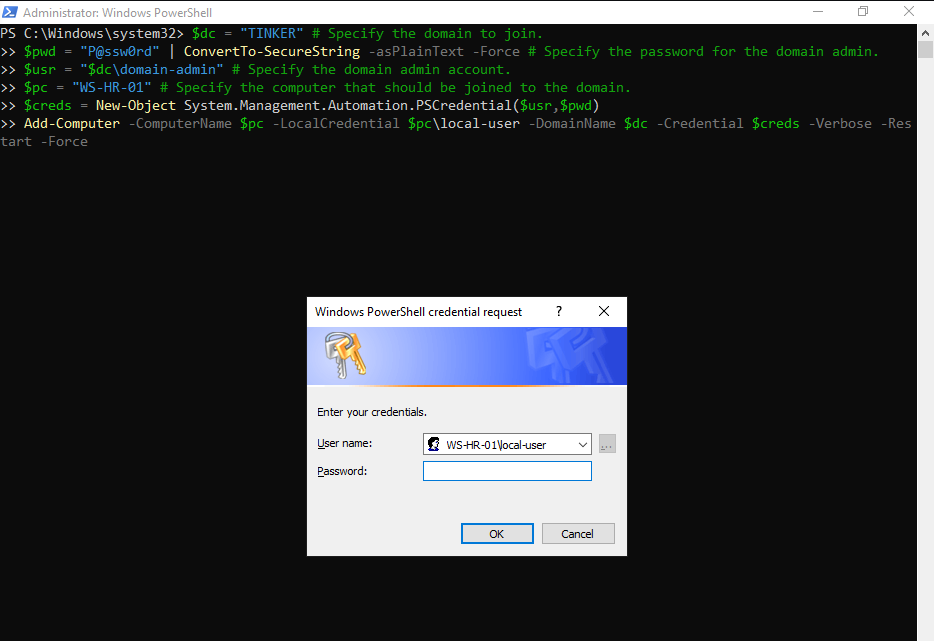
put the local administrator password and that’s it!
Join bulk of computers remotely from a text file
$dc = "TINKER"
$pwd = "P@ssw0rd" | ConvertTo-SecureString -asPlainText -Force
$usr = "$dc\domain-admin"
$pc = Get-Content -Path "C:\Computers.txt" # Specify the path to the computers list.
$creds = New-Object System.Management.Automation.PSCredential($usr,$pwd)
Add-Computer -ComputerName $pc -LocalCredential $pc\local-user -DomainName $dc -Credential $creds -Restart -Force
Remove a Computer from a domain
you could use the Remove-Computer cmdlet to remove a computer remotely:
$dc = "TINKER"
$pwd = "P@ssw0rd" | ConvertTo-SecureString -asPlainText -Force
$usr = "$dc\domain-admin"
$pc = "WS-IT-01"
$creds = New-Object System.Management.Automation.PSCredential($usr,$pwd)
Remove-Computer -ComputerName $pc -Credential $creds -Verbose -Restart -Force
Remove bulk of computers from a text file
$dc = "TINKER"
$pwd = "P@ssw0rd" | ConvertTo-SecureString -asPlainText -Force
$usr = "$dc\domain-admin"
$pc = Get-Content -Path "C:\Computers.txt" # Specify the path to the computers list.
$creds = New-Object System.Management.Automation.PSCredential($usr,$pwd)
Remove-Computer -ComputerName $pc -LocalCredential $pc\local-user -DomainName $dc -Credential $creds -Restart -Force