2. Active Directory Tasks - Powershell
2.6 Deleting a Computer from Active Directory
Delete a Computer from Active Directory
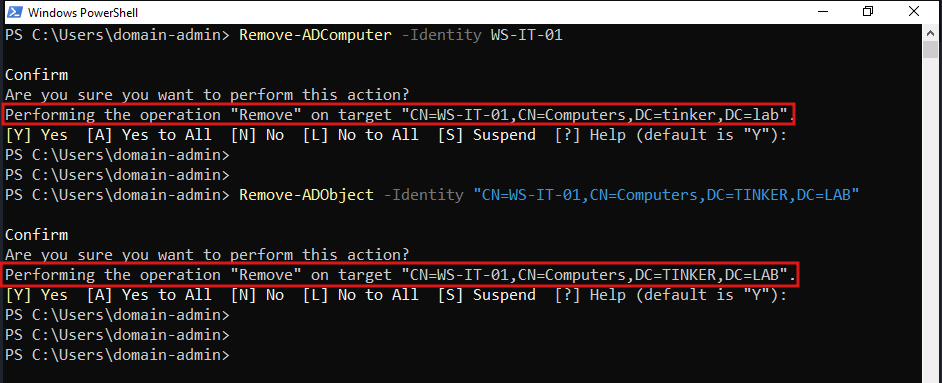
we could use the Remove-ADComputer or Remove-ADObject cmdlet to delete a computer account.
Remove-ADComputer -Identity WS-IT-01
or using the Remove-ADObject cmdlet, you could remove any AD Object either by its distinguished name or GUID.
Remove-ADObject -Identity "CN=WS-IT-01,CN=Computers,DC=TINKER,DC=LAB"
Remove-ADObject -Identity "65511e76-ea80-45e1-bc93-08a78d8c4853"
a prompt will show up to confirm the deletion.
Delete Bulk of Computers
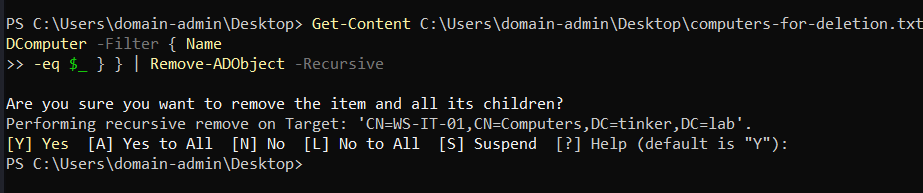
you can also delete bulk of computers from a list in txt file:
Get-Content C:\Users\domain-admin\Desktop\computers-for-deletion.txt | % { Get-ADComputer -Filter { Name
-eq $_ } } | Remove-ADObject -Recursive
Stale Computer Accounts
Stale computer accounts are computer accounts that are no longer in use. Leading to a security risk. so we can delete them using the following script:
$stale = (Get-Date).AddDays(-30) # means 30 days since last logon; can be changed to any number.

Get-ADComputer -Property Name,lastLogonDate -Filter {lastLogonDate -lt $stale} | FT Name,lastLogonDate
Get-ADComputer -Property Name,lastLogonDate -Filter {lastLogonDate -lt $stale} | Remove-ADComputer
- first line defines the stale date (30 days).
- second line gets all the computer accounts that have a lastLogonDate less than the stale date.
- third line removes the stale computer accounts.